Menu bar
One click shows every device: temperature, mode, fan, volume and input.
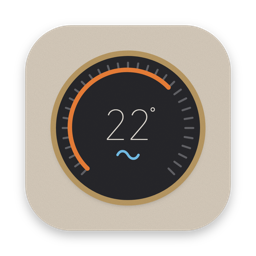
Your whole home, one click away in the menu bar.
Turn on the AC, set the temperature and control the TV without reaching for your phone. Interactive desktop widgets, Control Center buttons and a menu bar panel — for devices from several brands.
Try it with demo devices before connecting your own.
Click the icon in the menu bar. Everything is in one panel.
One click shows every device: temperature, mode, fan, volume and input.
Small, medium and large. Turn things on, off and adjust them right on your desktop.
Power buttons next to Wi-Fi and Sound. Choose which device each button controls.
Small, medium and large widgets you can tap, for every device.
Each connector brings in the devices from one platform. Use several at once and see everything together.
Brands mentioned belong to their owners. Casa is not affiliated with them.
The app talks straight to each platform. Your tokens stay on your Mac, and we never receive your data or the state of your home.
 MesaWindows & clipboard
 SomVolume per app
 CasaYour home on the Mac
macOS 26 or later. Preview build, not yet notarized by Apple. Open the DMG, drag Casa to Applications and open it; if macOS blocks it, go to System Settings › Privacy & Security › Open Anyway. After that, updates install on their own.
Download and use everything for 14 days. No account, no card. After that, buy a license to keep using Casa.
No. You pay once and keep the license. It works on one Mac at a time; activating it on another Mac moves it there.
Mesa, Som and Casa. One key activates all three apps on one Mac at a time, and keys bought earlier for any of them work in all three too.
Sign in with Google under My licenses, using the email you paid with, and your keys are there.
Air conditioners and TVs through Home Assistant and LG ThinQ today. You can try everything first with demo devices.